Components · Mobile only · Inputs
Date Time Field
AlphaiOS & Android
Opens the platform date or time picker.
Usage
@nexub/react-nativeWeb: DatePicker
import { DateTimeField } from '@nexub/react-native';

<DateTimeField label="Date" mode="date" value={d} onValueChange={setD} />Interactive preview of @nexub/react-native rendered for the web. Native chrome (switches, pickers, Liquid Glass) looks like the platform on a device.
On device
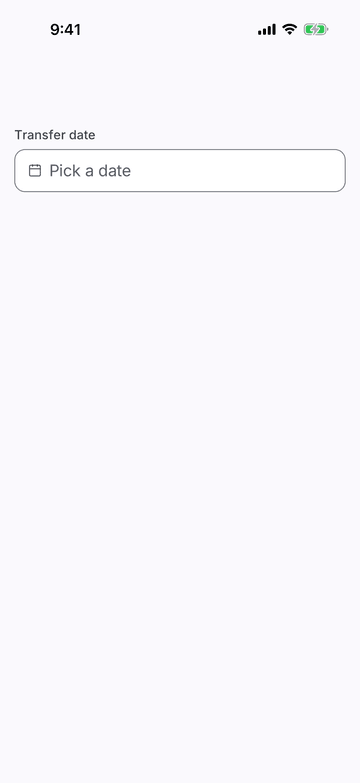
iPhone (iOS simulator)
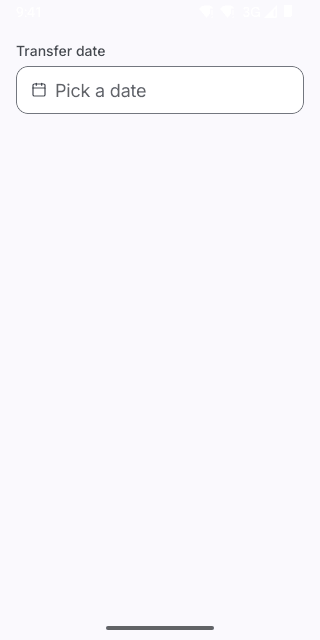
Pixel (Android emulator)
Screenshots from the latest CI run of the showcase app; the live frame renders the same code for the web.
DateTimeField props
| Prop | Type | Default | Description |
|---|---|---|---|
| labelrequired | string | — | — |
| valuerequired | Date | null | — | — |
| onValueChangerequired | (value: Date) => void | — | — |
| mode | 'date' | 'time' | 'date' | — |
| minimumDate | Date | — | — |
| maximumDate | Date | — | — |
| placeholder | string | — | — |
| style | StyleProp<ViewStyle> | — | — |