Components · Mobile only · Containers
List Item
AlphaiOS & Android
One row, one target: navigation, switch, checkbox, radio, button and value rows, read as one element.
Usage
@nexub/react-nativeWeb: InfoList or SettingsSection
import { ListItem } from '@nexub/react-native';

<ListSection header="Security">
  <ListItem title="Face ID" variant="switch" checked={on} onCheckedChange={setOn} />
  <ListItem title="Change PIN" variant="navigation" onPress={go} />
</ListSection>Interactive preview of @nexub/react-native rendered for the web. Native chrome (switches, pickers, Liquid Glass) looks like the platform on a device.
On device
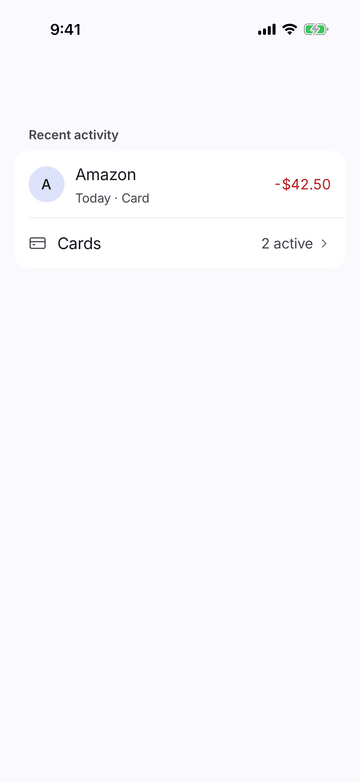
iPhone (iOS simulator)
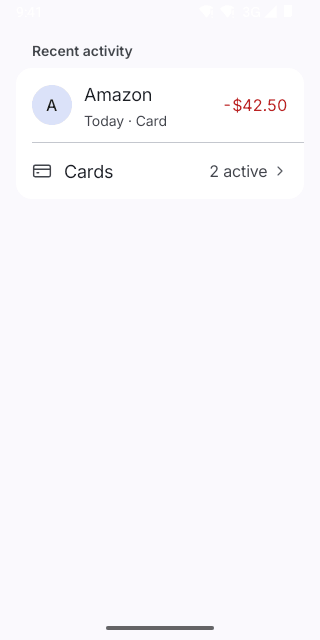
Pixel (Android emulator)
Screenshots from the latest CI run of the showcase app; the live frame renders the same code for the web.
ListItem props
| Prop | Type | Default | Description |
|---|---|---|---|
| titlerequired | string | — | — |
| subtitle | string | — | — |
| leading | React.ReactNode | — | Icon, Avatar or flag before the text. |
| value | string | — | Trailing text (variant 'value' or 'navigation'), e.g. "English" or an amount. |
| trailing | React.ReactNode | — | Custom trailing content (overrides the variant's). |
| variant | 'static' | 'navigation' | 'switch' | 'checkbox' | 'radio' | 'button' | 'value' | — | — |
| checked | boolean | — | For switch / checkbox / radio rows. |
| onCheckedChange | (checked: boolean) => void | — | — |
| onPress | () => void | — | — |
| destructive | boolean | — | Button rows: red, for destructive actions (Sign out, Delete). |
| disabled | boolean | — | — |
| style | StyleProp<ViewStyle> | — | — |